Neumorphism
Extrudes soft, low-contrast controls that press in and out of the background.
- Version
- v1.0.0 · Updated Jul 18, 2026
- Context
- ≈1,342 tokens
- Security
- ✓ scanned
- License
- Single seat
- Works with
- Claude Code, Cursor, Codex
Checkout opens soon · launches at $9
≈1,342 tokens · v1.0.0
Live demo — an original page built in the Neumorphism style. Open in new tab
About this skill
A soft, extruded design system characterized by low-contrast elements that appear to push through or indent into the background. Its live demo renders a mobile app landing page — phone mockups, feature tiles, mini charts, and app-store CTAs.
The skill file
Neumorphism makes the whole interface look molded from one continuous, soft material. Instead of stacking cards on a background, elements appear extruded from—or pressed into—the surface itself, using a precise pairing of a light highlight and a dark shadow. The effect is quiet, tactile, and a little futuristic, like buttons under a thin layer of soft rubber. Reach for it on calm utility surfaces—dashboards, players, control panels—where a gentle, physical feel adds polish without shouting.
Design principles
- One material, one surface: background and components share nearly the same color so depth comes only from shadow, not contrast.
- Every raised element needs two shadows—a light highlight from the top-left and a darker shadow to the bottom-right—at equal, opposite offsets.
- Pressed (inset) states invert those shadows inward to read as carved into the surface.
- Keep contrast deliberately low; the look depends on subtlety, so avoid hard borders and saturated fills.
- Reserve the accent for the single most important interactive state on a screen.
- Use large, soft radii everywhere; sharp corners break the molded illusion.
Color
The system lives on one soft blue-gray family. The background is #E4EBF5 and surfaces use a barely-lighter #E8EEF7, close enough that the surface reads as the same material catching slightly more light. Depth comes from the shadow pair, not color: a cool dark shadow rgba(163,177,198,0.6) to the lower-right and a near-white highlight rgba(255,255,255,0.9) to the upper-left. Foreground text is a desaturated slate #31374A; muted text and icons use #7C8AA8. The accent indigo #5B7CFA appears only for active controls, focus glows, and selected values. The #C7D0E0 border token is used rarely—only as a faint inset hairline when extra definition is needed.
For dark mode, shift the whole material to a charcoal-blue: background #2A2E3B, surface #2E323F, foreground #D6DBEA, muted #8A91A6. Swap shadow colors to a deep rgba(0,0,0,0.55) plus a soft highlight rgba(255,255,255,0.05), and brighten the accent to #7C95FF.
- Typography
- Layout & spacing
- Components
- Motion
- Accessibility
- Use it with your AI tool
Preview ends here
Typography, Layout & spacing, Components, Motion, Accessibility & Use it with your AI tool unlock when checkout opens. Get notified
What's inside
- SKILL.md5.4 KB
More in Design
View allEditorial Pack
Collects the editorial cluster — typography-led, content-first pages in one install.
Design Systems Pack
Bundles every aesthetic design system in one install — switch styles per project.
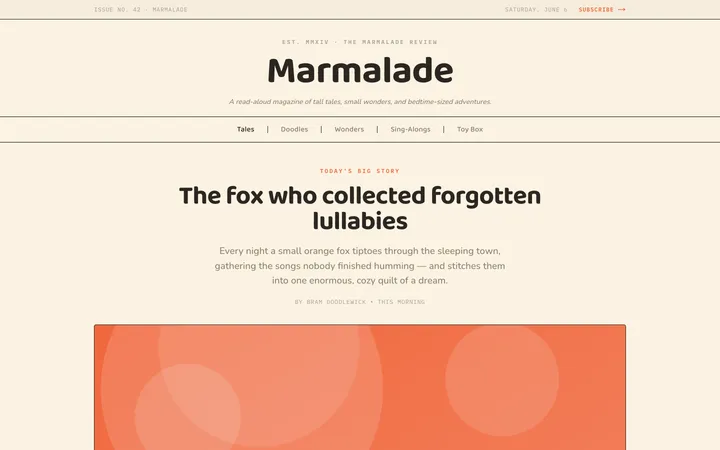
Fiction
Illustrates children's-book warmth with bold outlines and saturated color.

Arcade
Presses chunky pixel buttons and rainbow shadows into arcade-cabinet fun.
More from @staqd
View profileEditorial Pack
Collects the editorial cluster — typography-led, content-first pages in one install.
Design Systems Pack
Bundles every aesthetic design system in one install — switch styles per project.
Fiction
Illustrates children's-book warmth with bold outlines and saturated color.
Arcade
Presses chunky pixel buttons and rainbow shadows into arcade-cabinet fun.