Ledger
Disciplines data-dense screens with consistent, efficiency-first patterns.
- Version
- v1.0.0 · Updated Jul 18, 2026
- Context
- ≈2,122 tokens
- Security
- ✓ scanned
- License
- Single seat
- Works with
- Claude Code, Cursor, Codex
Checkout opens soon · launches at $9
≈2,122 tokens · v1.0.0
Live demo — an original page built in the Ledger style. Open in new tab
About this skill
Structured, enterprise-focused design system emphasizing clarity, consistency, and efficiency for data-dense web applications. Its live demo renders an analytics dashboard — KPI tiles, revenue charts, and a data table.
The skill file
Ledger is built for the screens where data is the product—finance platforms, analytics suites, and enterprise grids that must stay legible at high density. It leans on a strict structural grid, precise tabular typography, and a restrained palette so that even a wall of numbers reads cleanly and predictably. Reach for it when consistency, scannability, and trust matter more than visual drama, and when every pixel of vertical space counts.
Design principles
- Data legibility above all: typography, alignment, and spacing are tuned for scanning, not browsing.
- Strict alignment: numbers right-align, labels left-align, and everything snaps to a tight baseline grid.
- Low chrome, high signal: minimal borders and shadows so content—not container—draws the eye.
- Predictable structure: consistent table, card, and toolbar patterns reduce cognitive load across screens.
- Status through quiet color: muted semantic accents flag state without turning the page into a rainbow.
- Tabular figures everywhere: monospaced numerics keep columns and totals perfectly aligned.
Color
The canvas is a cool neutral gray (#F4F5F7) with white surfaces (#FFFFFF) for tables and cards, creating gentle separation without heavy borders. Text is deep ink (#1C2434) with a muted secondary (#6B7280) for metadata and column headers. The primary accent is a serious teal #0F766E—used for primary actions, active states, totals, and positive trends. Amber #B45309 is the secondary accent for warnings, pending states, and contrast in charts. Borders are quiet at #D7DCE3. Semantic colors stay muted: success green #15803D, error red #B91C1C, info blue #1D4ED8.
For dark mode, use a charcoal canvas (#11161F), surfaces at #1A212E, foreground at #E5E7EB, and borders at #2A3343. Lift teal to #2DD4BF and amber to #F59E0B for chart and badge legibility against the dark grid.
Token reference
| Token | Light | Dark | Role |
|---|---|---|---|
| background | #F4F5F7 | #11161F | App canvas |
| surface | #FFFFFF | #1A212E | Tables, cards, panels |
| primary | #0F766E | #2DD4BF | Primary action, totals, positive |
| secondary | #B45309 | #F59E0B | Warnings, pending, chart contrast |
| foreground | #1C2434 | #E5E7EB | Primary text and figures |
| muted | #6B7280 | #9AA4B2 | Headers, metadata |
| border | #D7DCE3 | #2A3343 | Row dividers, hairlines |
| success | #15803D | #22C55E | Reconciled, paid |
| danger | #B91C1C | #F87171 | Overdue, variance, errors |
| info | #1D4ED8 | #60A5FA | Neutral informational state |
Keep every semantic color low-saturation in light mode so a screen full of badges never overwhelms the data.
- Typography
- Layout & spacing
- Components
- Motion
- Accessibility
- Do & don't
- Use it with your AI tool
Preview ends here
Typography, Layout & spacing, Components, Motion, Accessibility, Do & don't & Use it with your AI tool unlock when checkout opens. Get notified
What's inside
- SKILL.md8.4 KB
More in Design
View allEditorial Pack
Collects the editorial cluster — typography-led, content-first pages in one install.
Design Systems Pack
Bundles every aesthetic design system in one install — switch styles per project.
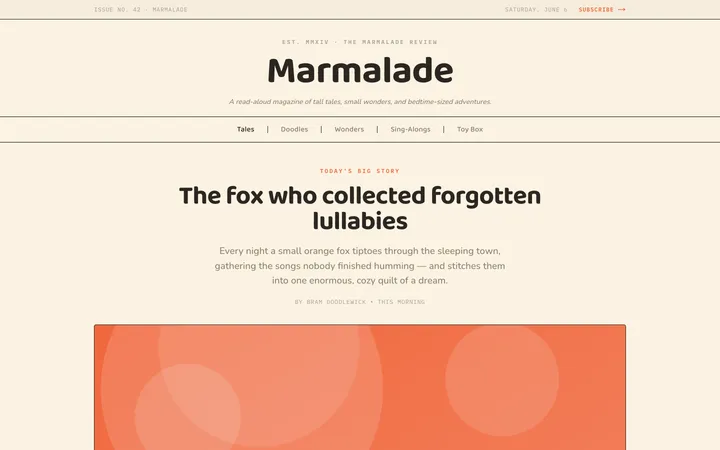
Fiction
Illustrates children's-book warmth with bold outlines and saturated color.

Arcade
Presses chunky pixel buttons and rainbow shadows into arcade-cabinet fun.
More from @staqd
View profileEditorial Pack
Collects the editorial cluster — typography-led, content-first pages in one install.
Design Systems Pack
Bundles every aesthetic design system in one install — switch styles per project.
Fiction
Illustrates children's-book warmth with bold outlines and saturated color.
Arcade
Presses chunky pixel buttons and rainbow shadows into arcade-cabinet fun.