Futuristic
Beams sci-fi gloss onto sleek interfaces with glowing accents.
- Version
- v1.0.0 · Updated Jul 18, 2026
- Context
- ≈1,590 tokens
- Security
- ✓ scanned
- License
- Single seat
- Works with
- Claude Code, Cursor, Codex
Checkout opens soon · launches at $9
≈1,590 tokens · v1.0.0
Live demo — an original page built in the Futuristic style. Open in new tab
About this skill
A forward-looking design system featuring sleek interfaces, glowing accents, and sci-fi inspired UI elements. Its live demo renders a product launch landing page — centered hero, feature showcase, pricing, and FAQ.
The skill file
Futuristic is a forward-leaning, sci-fi-inspired system built on deep space-dark surfaces, luminous neon accents, and the precise paneling of a spacecraft control deck. Glows, thin grid meshes, and clipped angular corners give the interface a sense of engineered advancement, while strict alignment keeps it from feeling like a toy. The effect is energetic and confident — every screen reads as a live system doing important work. Reach for it on AI products, data platforms, gaming and hardware interfaces, and anything that wants to signal speed and intelligence.
Design principles
- Darkness first: deep navy-black canvases let glowing accents do the talking.
- Light is the primary tool — use luminance and glow, not heavy shadow, to create hierarchy and depth.
- Precision paneling: thin borders, clipped corners, and aligned grids evoke machined hardware.
- Restrain the neon; one or two glowing accents per view, never a rave of color.
- Information density is welcome, but every panel should feel framed and intentional.
- Typography goes wide and uppercase for headings to read as system labels, never decorative.
Color
The canvas is a near-black space navy #070A12 that makes glowing elements pop with maximum punch, while raised panels lift to #0F1524 for clear layering. Foreground text is a cool blue-white #E4ECFF that harmonizes with the cyan accents instead of fighting them.
The primary accent is an electric cyan #00E5FF, used for the most important actions, active data, and glowing borders; the secondary is a vivid magenta-violet #B14CFF for alternate emphasis and gradient pairings. Muted UI text sits at #6B7694, and structural borders use #1E2942.
Token reference:
- Canvas / deep space:
#070A12 - Panel / surface:
#0F1524 - Primary glow accent:
#00E5FF - Secondary accent:
#B14CFF - Body text:
#E4ECFF - Muted UI text:
#6B7694 - Border / mesh line:
#1E2942
Because the system is dark by nature, a true light mode is rare — instead offer a lighter "daylight" variant on a #10182A background with reduced glow intensity for sensitive environments, keeping the same accents.
- Typography
- Layout & spacing
- Components
- Do and don't
- Motion
- Accessibility
- Use it with your AI tool
Preview ends here
Typography, Layout & spacing, Components, Do and don't, Motion, Accessibility & Use it with your AI tool unlock when checkout opens. Get notified
What's inside
- SKILL.md6.3 KB
More in Design
View allEditorial Pack
Collects the editorial cluster — typography-led, content-first pages in one install.
Design Systems Pack
Bundles every aesthetic design system in one install — switch styles per project.
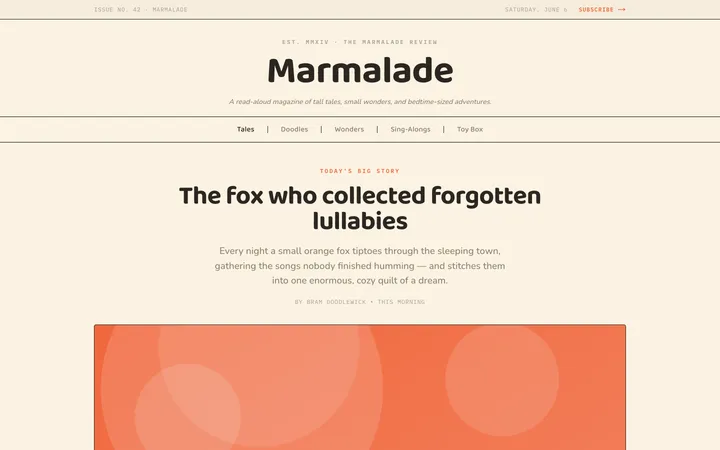
Fiction
Illustrates children's-book warmth with bold outlines and saturated color.

Arcade
Presses chunky pixel buttons and rainbow shadows into arcade-cabinet fun.
More from @staqd
View profileEditorial Pack
Collects the editorial cluster — typography-led, content-first pages in one install.
Design Systems Pack
Bundles every aesthetic design system in one install — switch styles per project.
Fiction
Illustrates children's-book warmth with bold outlines and saturated color.
Arcade
Presses chunky pixel buttons and rainbow shadows into arcade-cabinet fun.