Flat
Flattens depth away — solid color, simple shapes, maximum readability.
- Version
- v1.0.0 · Updated Jul 18, 2026
- Context
- ≈1,429 tokens
- Security
- ✓ scanned
- License
- Single seat
- Works with
- Claude Code, Cursor, Codex
Checkout opens soon · launches at $9
≈1,429 tokens · v1.0.0
Live demo — an original page built in the Flat style. Open in new tab
About this skill
Flat style is minimalist and clean, using solid colors, simple shapes, and little to no depth effects for a crisp, modern, and highly readable interface. Its live demo renders a SaaS marketing landing page — hero, onboarding steps, pricing table, FAQ, and testimonials.
The skill file
Flat strips away every illusion of depth and lets color, shape, and type carry the entire experience. There are no gradients pretending to be light and no shadows pretending to be elevation — just solid blocks, clean edges, and effortless readability.
The feeling is honest, calm, and modern. Reach for Flat when you want an interface that loads light, reads instantly, and never gets in the user's way: productivity tools, SaaS apps, onboarding flows, and any product where clarity is the headline rather than ornament.
Design principles
- No fake depth. Skip shadows, bevels, and gloss; rely on flat color and clean borders to separate regions.
- Solid color blocks. Fields of pure, unmodulated color define structure and hierarchy.
- Simple geometry. Shapes stay basic and intentional — rectangles, circles, and clean line icons.
- Maximum readability. Generous contrast, comfortable sizing, and uncluttered layouts come first.
- One consistent system. A single accent, one neutral ramp, and predictable spacing everywhere.
- Quiet confidence. Restraint over decoration — the interface should feel obvious to use.
Color
The base is pure white (#FFFFFF) with a light neutral surface (#F0F2F5) for grouped sections and cards. Text is a deep slate (#1F2933) for strong contrast, with muted gray-blue (#647082) carrying secondary copy and metadata.
The primary accent is a clear, confident blue (#2D6CDF) used for actions, links, and active states. A warm coral (#FF6B5E) serves as the secondary accent for highlights and destructive actions. Borders sit at a light #DDE2E8, and every fill is applied solid — never as a gradient.
Light mode is the natural home: white canvas, slate ink, and crisp accent blocks. Dark mode shifts to a #161A1F background, #1F252C surfaces, #E6EAEF text, and #9AA5B1 muted, with the blue brightened slightly to #4D85F0 and borders moved to #2A313A. Keep all fills solid and flat in both modes.
- Typography
- Layout & spacing
- Components
- Motion
- Accessibility
- Use it with your AI tool
Preview ends here
Typography, Layout & spacing, Components, Motion, Accessibility & Use it with your AI tool unlock when checkout opens. Get notified
What's inside
- SKILL.md5.7 KB
More in Design
View allEditorial Pack
Collects the editorial cluster — typography-led, content-first pages in one install.
Design Systems Pack
Bundles every aesthetic design system in one install — switch styles per project.
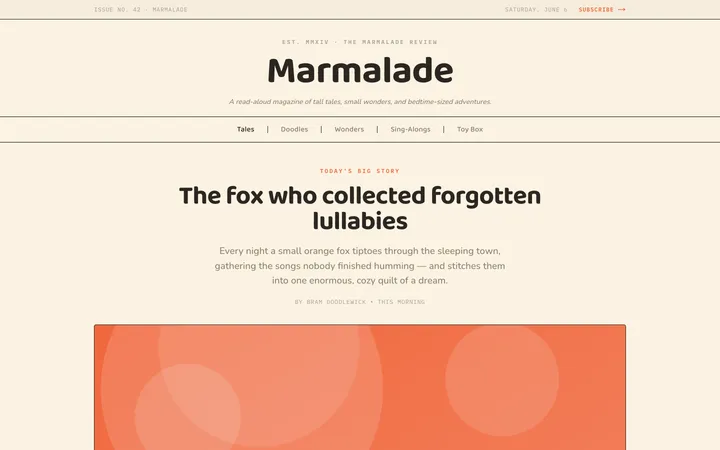
Fiction
Illustrates children's-book warmth with bold outlines and saturated color.

Arcade
Presses chunky pixel buttons and rainbow shadows into arcade-cabinet fun.
More from @staqd
View profileEditorial Pack
Collects the editorial cluster — typography-led, content-first pages in one install.
Design Systems Pack
Bundles every aesthetic design system in one install — switch styles per project.
Fiction
Illustrates children's-book warmth with bold outlines and saturated color.
Arcade
Presses chunky pixel buttons and rainbow shadows into arcade-cabinet fun.