Blocks
Interlocks geometric blocks into vibrant, puzzle-tight modular grids.
- Version
- v1.0.0 · Updated Jul 18, 2026
- Context
- ≈1,373 tokens
- Security
- ✓ scanned
- License
- Single seat
- Works with
- Claude Code, Cursor, Codex
Checkout opens soon · launches at $9
≈1,373 tokens · v1.0.0
Live demo — an original page built in the Blocks style. Open in new tab
About this skill
A modular, grid-based design system inspired by the classic puzzle game, featuring interlocking geometric components and vibrant, high-contrast colors. Its live demo renders a SaaS landing page — hero, bento feature grid, stats band, pricing, and testimonials.
The skill file
Blocks is a modular, grid-first system where the interface reads as a set of interlocking geometric panels snapped onto a strict layout. Every region is a deliberate rectangle of solid color, divided by crisp black rules, with zero rounding and zero blur. The feeling is confident, structured, and energetic, like a precision toy construction set rendered in software. Reach for Blocks when content is dense and varied and you want the layout itself to do the organizing work.
Design principles
- The grid is sacred: every element snaps to a 12-column structure with consistent gutters and no orphaned spacing.
- Color blocks define regions; backgrounds carry meaning rather than decoration.
- Square corners everywhere (0px radius) and hard 2px rules instead of shadows.
- High contrast and saturation create clear visual hierarchy through color weight.
- Modules are self-contained and interchangeable, like physical bricks that can be rearranged.
- Type is condensed and structural, reinforcing the architectural feel.
Color
The base canvas is a paper-neutral #F4F4F2 with white module surfaces (#FFFFFF).
Structural ink, borders, and primary text are pure-leaning black (#111111).
The accent system is a vivid primary set: signal red (#FF3B30) for primary actions and emphasis, electric blue (#0A84FF) for secondary regions, and a bold yellow (#FFCC00) for highlights and warnings.
A confident green (#1DB954) handles success and positive deltas.
Muted captions use #6B6B6B.
Color blocks are used at full saturation as panel fills, with black or white text chosen per panel for AA contrast.
Limit each view to two or three accent fills so the high contrast guides the eye instead of competing for it.
In dark mode, invert to a near-black canvas (#0E0E0E), use #1A1A1A surfaces, lift borders to #FFFFFF, and keep accents at full vibrancy as glowing color blocks.
Typography
Headings use a condensed grotesque (Archivo or Inter Tight) in uppercase at weights 700 to 900 with tight tracking (-0.02em) for an architectural, poster-like presence. Body text is Inter at 15px with 1.5 line-height. Labels and metric captions are uppercase with +0.04em tracking.
Numeric data uses IBM Plex Mono so figures align cleanly within grid cells. The scale is a tight 1.25 ratio (15, 19, 24, 30, 37) to keep blocks proportional. Align text to the top-left of each module so type reinforces the grid rather than floating in it.
- Layout & spacing
- Components
- Motion
- Accessibility
- Use it with your AI tool
Preview ends here
Layout & spacing, Components, Motion, Accessibility & Use it with your AI tool unlock when checkout opens. Get notified
What's inside
- SKILL.md5.5 KB
More in Design
View allEditorial Pack
Collects the editorial cluster — typography-led, content-first pages in one install.
Design Systems Pack
Bundles every aesthetic design system in one install — switch styles per project.
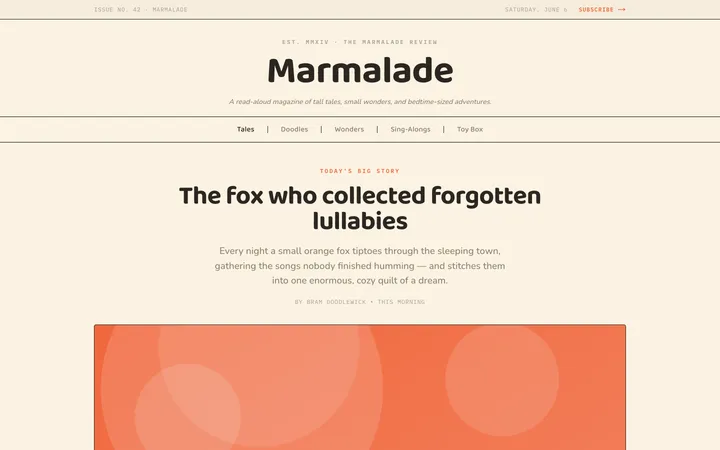
Fiction
Illustrates children's-book warmth with bold outlines and saturated color.

Arcade
Presses chunky pixel buttons and rainbow shadows into arcade-cabinet fun.
More from @staqd
View profileEditorial Pack
Collects the editorial cluster — typography-led, content-first pages in one install.
Design Systems Pack
Bundles every aesthetic design system in one install — switch styles per project.
Fiction
Illustrates children's-book warmth with bold outlines and saturated color.
Arcade
Presses chunky pixel buttons and rainbow shadows into arcade-cabinet fun.